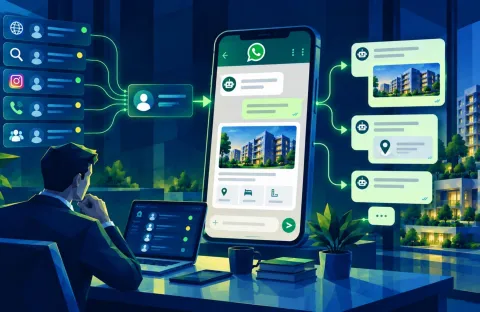

WhatsApp has evolved from being a simple messaging app to a powerful tool for businesses to connect with their customers. One of the most effective ways to communicate with large groups of clients, leads, and prospects is by using WhatsApp message templates. These pre-approved, standardized messages allow businesses to send consistent and personalized content to their audience while ensuring high delivery rates.
But how do you write WhatsApp templates that actually get noticed and achieve high delivery rates? In this blog, we’ll dive into the types of WhatsApp templates you can use, best practices for crafting them, and how to optimize your templates for better engagement and success.
1. What Are WhatsApp Templates?
WhatsApp templates are pre-written message formats that businesses can use to send notifications, greetings, reminders, promotions, or customer service messages to their audience. These templates must be approved by WhatsApp before you can send them, and they are typically used in automated messaging campaigns via WhatsApp Business API.
Templates can be:
-
Transactional: Used for updates like order confirmations, booking reminders, or shipping notifications.
-
Promotional: Used for marketing purposes like offers, discounts, or new product launches.
-
Customer Service: Used for customer inquiries, support, or feedback requests.
-
Informational: Used for updates like newsletters or industry news.
2. Best WhatsApp Template Types for Real Estate Businesses
For businesses, particularly in real estate industry, WhatsApp templates can be a game changer. Here are some template types that work well:
Booking/Viewing Confirmation Templates
-
When to use: When a prospect schedules a property viewing.
-
Template Example:
“Hi [First Name], this is [Your Name] from [Your Agency]. Just confirming your property viewing appointment at [Property Address] on [Date] at [Time]. Let us know if you need any more information before your visit!”
Property Availability Updates
-
When to use: When a property becomes available or goes off-market.
-
Template Example:
“Good news, [First Name]! The [Property Type] at [Property Address] is now available for viewing. Click here to schedule a tour: [Booking Link]. Looking forward to hearing from you!”
Personalized Property Recommendations
-
When to use: When you want to send property recommendations based on a client’s preferences.
-
Template Example:
“Hi [First Name], based on your preferences, we found a few properties that might interest you: -
[Property 1] – [Brief description]
-
[Property 2] – [Brief description]
Would you like to schedule a viewing for any of these?”
Follow-Up Reminder Templates
-
When to use: When a lead or client hasn’t responded in a while, or after a property viewing.
-
Template Example:
“Hi [First Name], just wanted to check in after your viewing of [Property Address] last week. Are you still interested, or would you like more details on any other properties?”
Contract or Payment Reminder Templates
-
When to use: For clients who have outstanding payments or need to sign agreements.
-
Template Example:
“Hello [First Name], this is a friendly reminder that your payment for [Property Address] is due by [Date]. Please make the payment via [Payment Link]. Let us know if you need assistance!”
3. Tips for Writing High-Quality WhatsApp Templates
Creating an effective WhatsApp template isn’t just about formatting – it’s about crafting messages that are engaging, clear, and aligned with your goals. Here are some tips for writing WhatsApp templates that will increase your chances of higher delivery rates and better engagement:
1. Keep it Short & Concise
WhatsApp users tend to read messages quickly, especially on mobile devices. Keep your messages brief and to the point. Avoid long paragraphs and use bullet points or numbered lists if necessary.
-
Good Example:
“Hi [First Name], I have a property at [Address] that fits your criteria. Would you like to schedule a viewing? [Booking Link]” -
Avoid:
“Hello [First Name], I hope you are doing well. I just wanted to let you know that we have a property at [Address] that might be of interest to you. It’s a great opportunity for you to see the property up close, and I would love to set up a time for you to visit.”
2. Personalize Your Templates
Even though you are using a template, personalization makes a huge difference in engagement rates. Always use the recipient's name and reference any prior interactions or preferences. Tailoring the message to the recipient’s needs shows that you care and increases the likelihood of a response.
-
Personalized Example:
“Hi [First Name], I saw that you were looking for a 3-bedroom apartment in [Area]. We have a great listing at [Address] – would you like to schedule a tour?”
3. Include Clear and Actionable CTAs
Your template should have a clear call-to-action (CTA) that tells the recipient exactly what to do next. Use action verbs like “Book Now,” “Call Us,” or “Learn More.”
-
Effective CTA:
“Click here to schedule a viewing: [Booking Link]” -
Ineffective CTA:
“Please let us know if you’re interested.”
4. Be Mobile-Friendly
Since WhatsApp is primarily a mobile app, it’s crucial that your messages are optimized for small screens. Avoid large blocks of text and keep your sentences short and easy to read.
-
Good Practice:
Use emojis and line breaks to make the message visually appealing and easy to digest. -
Bad Practice:
Writing large, unbroken paragraphs can make the message look cluttered and harder to read.
5. Test and Optimize Your Templates
Test different versions of your templates to see which ones perform best. You can experiment with varying CTAs, message lengths, and formats to see what resonates with your audience.
-
A/B Testing:
Send out two versions of the same message with slight variations (e.g., different CTAs or offers) and track which one has a better open and reply rate. -
Metrics to Monitor:
Open rates, delivery rates, response rates, and opt-out rates are important metrics to track to determine the effectiveness of your templates.
6. Adhere to WhatsApp's Template Guidelines
WhatsApp has strict guidelines about the content of templates to ensure compliance with spam regulations. Always make sure your templates are:
-
Approved: WhatsApp requires you to get template approval before sending them.
-
Not Overly Promotional: Avoid being too sales-focused. Your templates should add value, offer support, or provide essential updates.
-
Non-Intrusive: Avoid excessive frequency and ensure your messages are relevant to the recipient.
4. How to Improve WhatsApp Template Delivery Rates
Even if your message is high-quality, it's important to ensure that your templates are actually delivered. Here are a few ways to increase your delivery rates:
1. Build a Quality Contact List
WhatsApp only allows you to send broadcast messages to people who have saved your number in their contacts. Therefore, ensure you’re building an organic, opt-in contact list. Use other channels like your website, social media, or email to encourage people to save your number and sign up for updates.
2. Ensure Compliance
Make sure you are compliant with WhatsApp's policies and local regulations like GDPR. Only send messages to users who have opted-in, and always respect privacy preferences.
3. Monitor Spam Flags
WhatsApp will limit or block numbers that send spammy messages or get marked as "spam" by users. Always send relevant and valuable content and avoid over-sending messages to the same recipient.
4. Use the Right Frequency
Don’t overdo it with your broadcasts. Sending messages too frequently can lead to opt-outs and lower delivery rates. Find the right balance and ensure that the content you're sharing is valuable and necessary.
Conclusion: Mastering WhatsApp Templates for Higher Delivery Rates
WhatsApp templates are an essential tool for businesses to engage with their clients efficiently, especially in industries like real estate. By crafting personalized, clear, and value-driven messages, you can increase your chances of getting your messages delivered, opened, and acted upon.
Here’s a quick recap of best practices for writing WhatsApp templates:
-
Keep it concise: Short, clear, and to the point.
-
Personalize: Always use the recipient’s name and reference their needs or preferences.
-
Actionable CTAs: Encourage users to take the next step.
-
Mobile-friendly design: Optimize for mobile reading.
-
Test and optimize: Continuously improve based on performance data.
By following these tips, you’ll not only craft templates that stand out but also increase your WhatsApp broadcast message delivery rates, ensuring better engagement and more successful conversions.
Happy messaging!